The Merge Tool
The Merge Tool in Crossword Wrangler applies only to circular grids, and is commonly used to combine cells on the inner rings of the grid. It applies only to radial grid lines to combine adjacent cells on the same ring.
Using the Merge Tool
Section titled “Using the Merge Tool”- In the tool strip, select the Merge Tool icon:

- Click on the radial grid line you want to merge adjacent cells on:
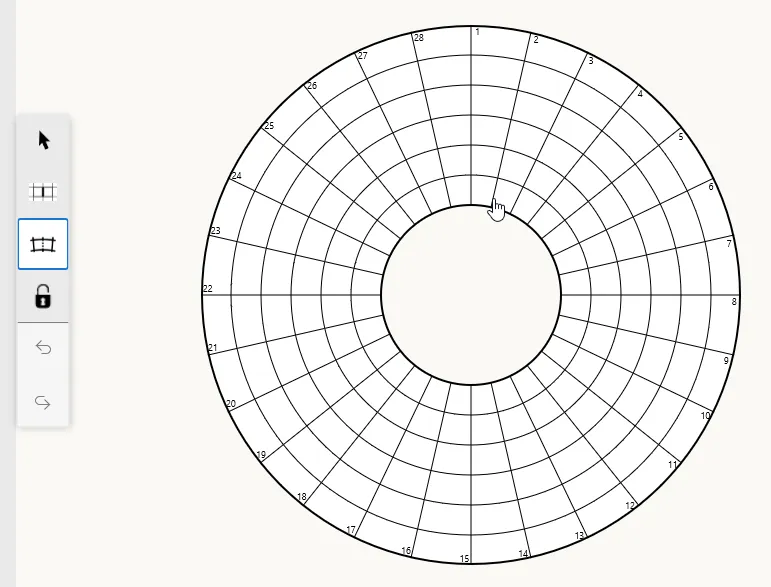
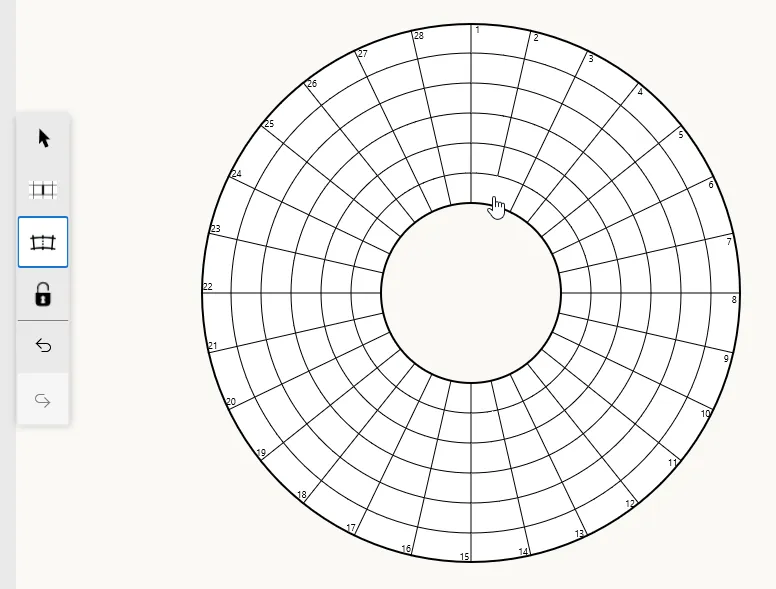
Symmetry
Section titled “Symmetry”As described in Creating a new grid, circular crosswords have two types of roational symmetry: cell symmetry and bar symmetry. Cell symmetry controls how the Merge Tool affects symmetric counterparts of the merged cells. When cell symmetry is enabled, merging a pair of adjacent cells will also merge their symmetric counterparts according to the grid’s symmetry settings. With n-fold cell symmetry, toggling merging on one pair of adjacent cells will affect pairs of symmetric cells simultaneously. For example, in a grid with 28 radials and 7-fold cell symmetry, merging one pair of adjacent cells will also merge the six other pairs of symmetric cells:
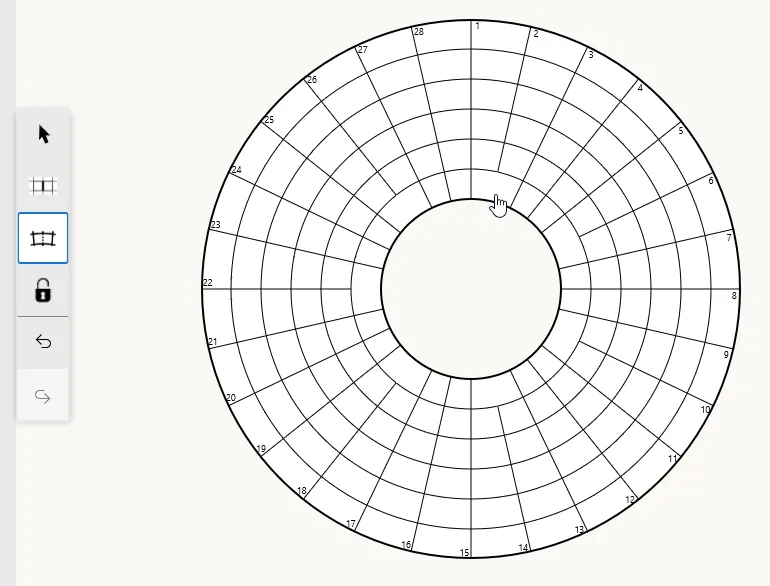
Crossword Wrangler will not allow you to merge cells together when it would violate the grid’s cell symmetry. For example, with 7-fold cell symmetry, attempting to merge any more pairs of cells in the innermost ring of the following configuration will be disallowed:
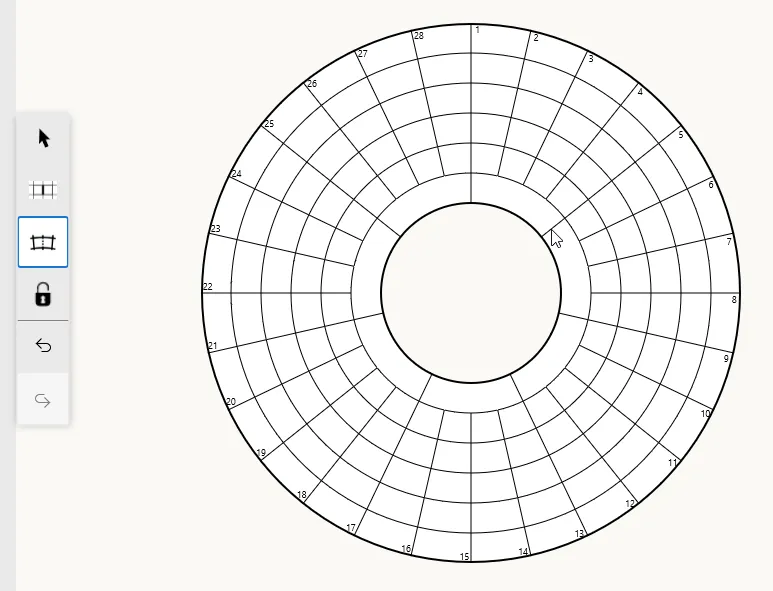
Similarly, merging cells that would violate the grid’s bar symmetry will also be disallowed, ensuring that the overall symmetry of the grid is maintained.
Isolated cells
Section titled “Isolated cells”The Merge Tool will not allow you to merge all cells of a single ring. Isolated open cells are not considered valid lights in the crossword grid, as lights must consist of at least two contiguous open cells.