Grid Layout tools
Grid layout in Crossword Wrangler refers to the position and lengths of the grid’s lights (see Introduction and terminology).
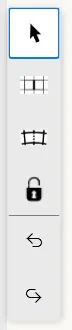
Creating and editing the grid layout is done using the left-hand tool strip together with the grid itself.
For a rectangular grid, the tool strip looks like this:

For a circular grid, it looks like this:
Layout tools
Section titled “Layout tools”There are four main tools used to create grid layout. They are documented here:
-
The Light Tool: this is used to “paint” lights directly onto the grid:

-
The Block Tool: this is used to toggle cells between open and blocked:

-
The Bar Tool: this is used to toggle bars between cells:

-
The Merge Tool: this is used in circular grids to coalesce adjacent cells together:

Utility tools
Section titled “Utility tools”These tools provide additional functionality to assist with grid layout management. They include:
-
The Select Tool: this is normally used to select cells and lights to perform various actions on them. It also allows resizing of lights within the grid:

-
The Lock Grid Tool: this is used to lock the grid layout, preventing accidental modifications:

-
The Undo/Redo Tools: these are used to undo or redo recent actions performed on the grid, and are not restricted to grid layout actions: